Investing in one of the greatest fitness trackers is a great choice if you're trying to lead a healthier lifestyle. They're excellent tools for keeping tabs on all-day activity, recording workout stats, and improving overall wellness. Whether you're trying to lose weight, sleep better, or move more, it's a good idea to start using one if you aren't already. These are the best fitness trackers so far, and why we're sure you'll love them.
Excellent value
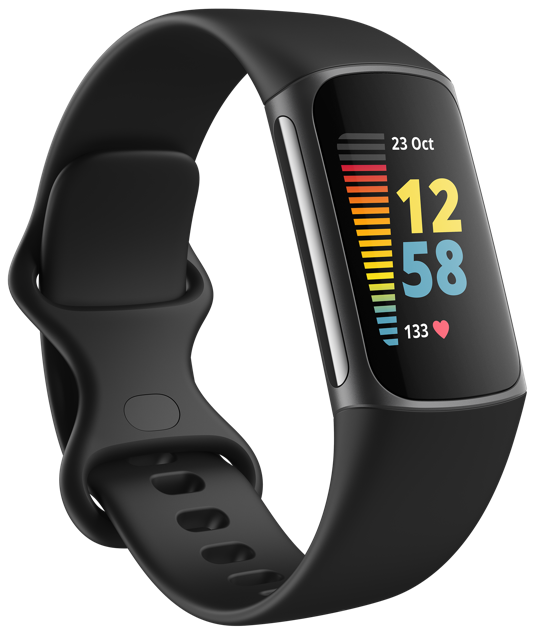
Fitbit Charge 5
Staff Pick
Fitbit Charge 5 hosts exciting new features like ECG to stay on top of heart health, and EDA scans to help you manage stress. It features a Daily Readiness Score which uses your sleep, exercise, and heart rate variability to optimize your energy throughout the day. It will tell you if you're ready for a workout, need to take it easy, or prioritize recovery. It offers up to seven days of battery depending on usage.
Fitbit Charge 4 features a built-in GPS, Active Zone Minutes for heart-based training, and workout intensity maps so you can see how your heart rate changes along workout routes. It offers all-day activity and sleep tracking, as well as Sp02 monitoring. It delivers up to seven days of battery life on a full charge, and five hours in full GPS mode.
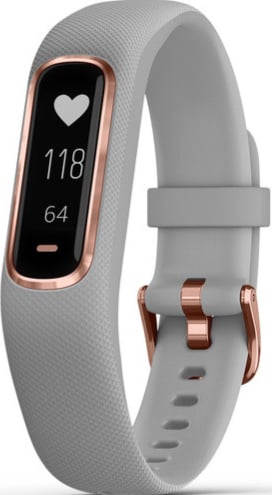
Garmin Vivosmart 4 features a slim profile and bright, easy-to-read display. It features all-day activity, advanced sleep, and Pulse Ox monitoring. Additionally, it offers tress tracking, breathing timers, V02 max, and body battery to help optimize your energy. It delievers up to seven days of battery life.
Garmin Vivofit 4 is a budget friendly activity tracker that has you covered when it comes to the basics. It tracks steps, distance, calories burned, sleep, and provides a personalized daily step goal to get you moving. It's water-resistant, so it's safe to wear in the shower and pool; plus it offers 1+ years of battery life — no charging necessary.
Fitbit Luxe doubles as a timeless accessory and activity tracker. It features a vibrant color display, all-day activity, and sleep tracking. Plus, you get Active Zone Minutes which give your wrist a buzz when you reach target heart rate zones, and you can view heart rate variability in your workout intensity maps in the Fitbit app. It offers up to five days of battery life.
Coros Pace 2 is a feather-light, GPS sport watch. It only weighs 29 grams. It features all-day activity tracking, sleep monitoring, 24/7 heart rate, always-on altimeter, and a thermometer. It offers up to 20 days of battery life if you're simply all-day activity tracking and up to 30 hours in GPS mode.
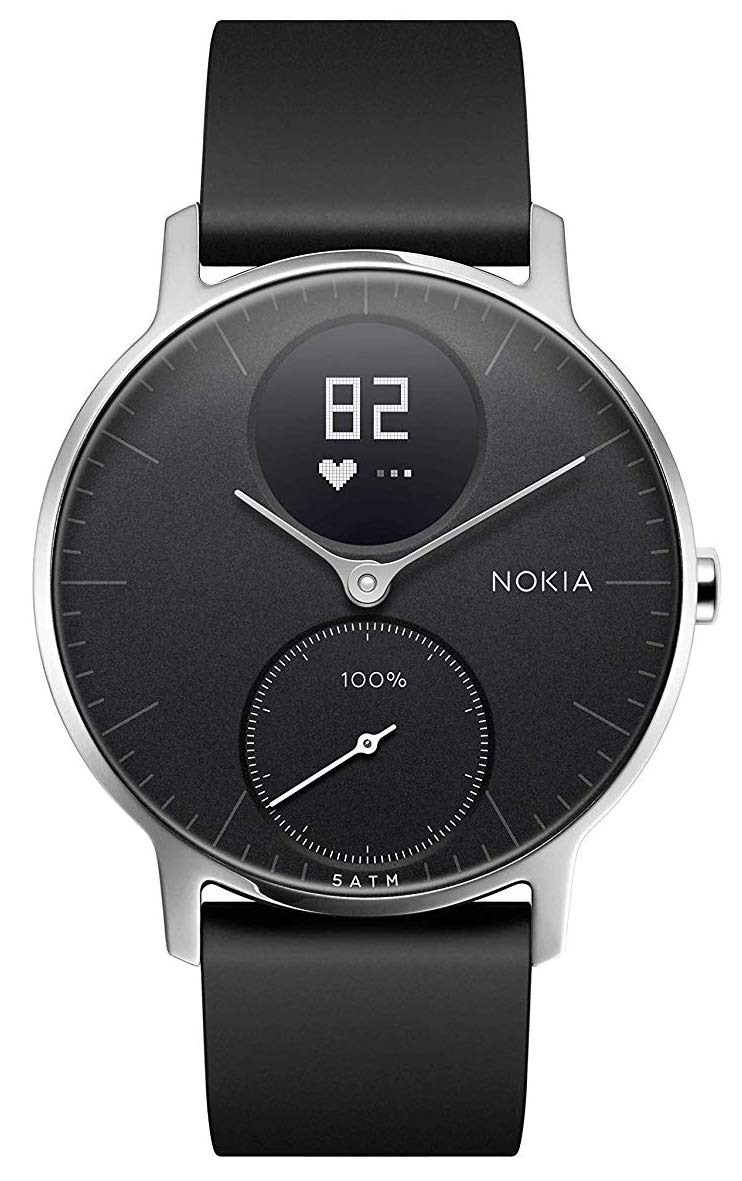
Looking for a classic aesthetic? Withings Steel HR is a hybrid watch that has the design of a normal watch, but is capable of full fitness tracking. Its battery can last up to 25 days on a full charge. It can track over 30 different exercises, and can be submerged up to 50 meters in water. There's also a heart-rate monitor and it works with Amazon Alexa.
The Fitbit Inspire 2 is a great value. You're not going to get the smart features you would with a smartwatch, but you will get the basics like all-day activity tracking, sleep monitoring, and 24/7 heart rate monitoring. Plus, it delivers an impressive battery life of up to 10 days.
Samsung Galaxy Active 2 features built-in pace coaching to help you get more out of every mile and reach your fitness goals. It has a classic, lightweight profile and offers all-day activity tracking, stress monitoring, heart rate, and sleep tracking. It delivers two to three days of battery life.
This budget-friendly band features all-day activity and sleep tracking. It will track the intensity and duration of your daily movement, plus sedentary time. Sleep tracking analyzes sleep patterns throughout the night. It works with Amazon Alexa and can give insight on your body composition, energy levels, and even your vocal tone for better communication.
Amazfit Band 5 is a budget-friendly tracker that features Amazon Alexa built-in so you can set alarms, ask questions, or control your smart home devices. It also offers all-day activity, Sp02, 24/7 heart, and sleep tracking. You'll get 15 days of battery life with a full charge on this tracker.
We're all trying to keep tabs on our health and fitness, but have different needs when it comes to the perfect fitness tracker. Whether you're an outdoor adventurer, athlete, or just beginning a healthier lifestyle, we've found the best fitness tracker for you.
Our favorite is Fitbit Charge 5 because it's Fitbit's most feature-heavy tracker to date and it's an excellent value. It offers ECG, EDA, and Daily Readiness Scores to help optimize your energy throughout the day. It has earned its place as one of the best Fitbit available.
If you're someone who hates constantly charging your wearables, Coros Pace 2 offers an impressive battery life of 20 days of activity tracking, and 30 hours in full GPS mode.
Or maybe something more budget-friendly is what you're looking for? Amazfit Band 5 offers Amazon Alexa built-in on top of all-day activity, sleep, and Sp02 monitoring. Whatever you're looking for in your wearable, we've found your perfect match on this list of the best fitness trackers of the year.
The beauty of the iPhone 13 is more than skin deep.
It's easy to look at the iPhone 13 on paper and see an incremental update to last year's iPhone 12. And indeed, that would seem to be true in several aspects, at least at first glance. You won't really be going through your email any faster, the design is essentially the same as last year's phone, and seriously, who really needs 5G?
I've seen a lot of sentiment lamenting the iPhone 13 as "really an iPhone 12s," and apart from being a ridiculous statement (it's never mattered what Apple called the phones), it also ignores that some of the iPhone's most exciting and important updates have been in 's' years. Siri arrived with the iPhone 4s. The iPhone 5s was the first iPhone with Touch ID, and the first phone with a 64-bit processor. The iPhone 6s was the first iPhone with a 12-megapixel camera. A lot goes on in 's' years.
While I'm not certain if this is an update on any of those levels, Apple's done a lot of work to provide the iPhone 13 with some interesting upgrades in performance, cameras, and battery life. But in many ways, these enhancements arrive in more subtle forms that work together to create a compelling new package, rather than each being potentially the thing that will drive you to buy this phone.
iPhone 13
Bottom line: With excellent new cameras, improvements to battery life, and a nice selection of colors, Apple's mainstream flagship is the best iPhone for most people.
The Good
Excellent cameras
Battery life is much improved over iPhone 12
Photographic Styles put a personal touch on your photos
The iPhone 13 mini once again sits at the bottom of the flagship pricing ladder, starting at $699 for 128GB. You can also get the iPhone 13 mini with 256GB of storage for $799, and 512GB for $999. The iPhone 13 comes in the same storage configurations for $100 more each, so 128GB costs $799, 256GB costs $899, and 512GB costs $1,099. Of course, if those price tags are a little steep, you can save some money with the best iPhone 13 deals even now as the phones launch.
You can order your iPhone 13 or iPhone 13 mini now directly from Apple and other online retailers, and phones arrived in stores on Friday, September 24.
iPhone 13: Hardware and design
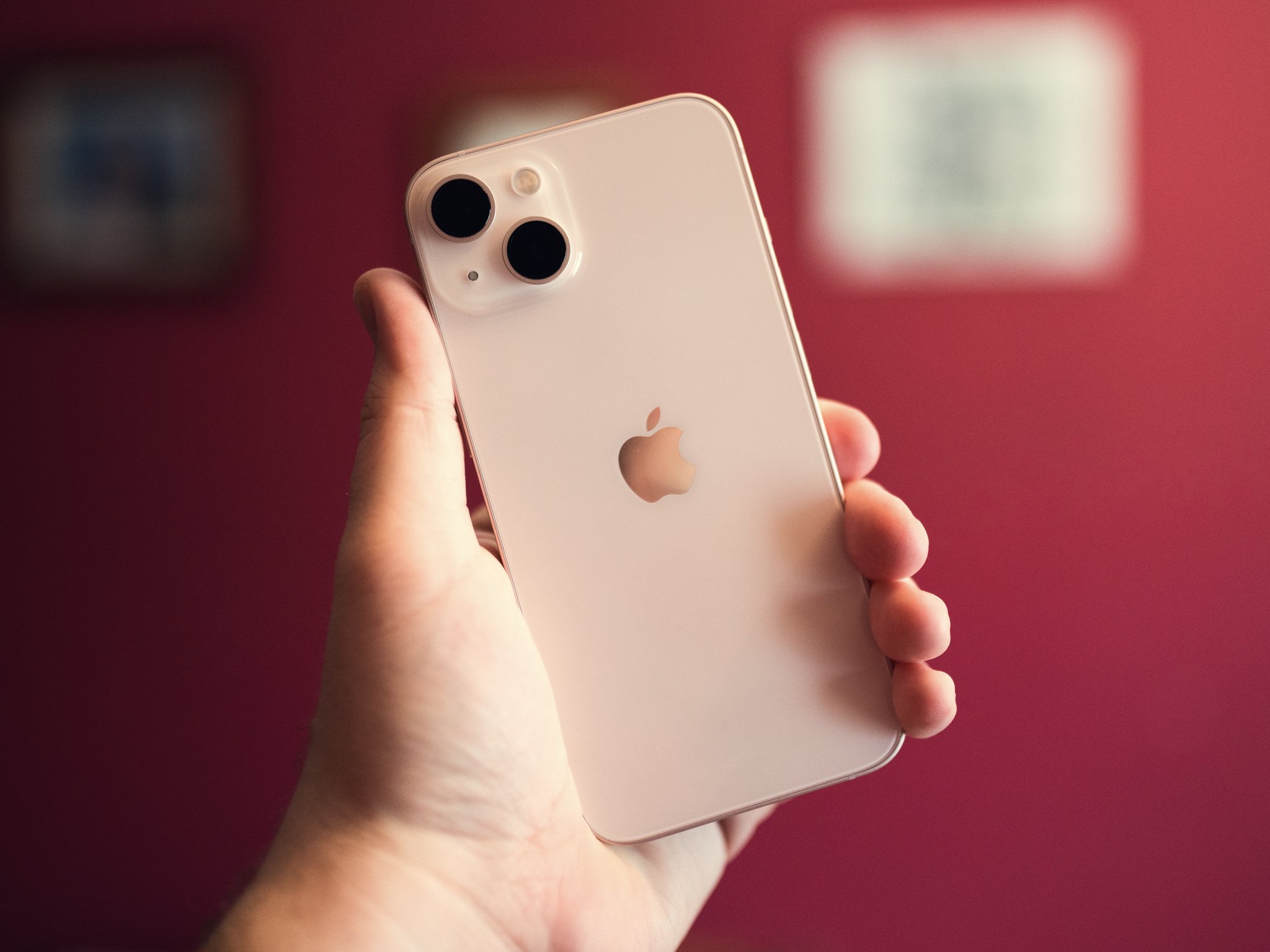
If you're familiar with the iPhone 12 design, you know what to expect with the iPhone 13, except for the camera module, but more on that later. The same is true with the iPhone 13 mini. If you loved the iPhone 12, you'll feel the same about the iPhone 13.
It's the same flat aluminum edges with rounded corners. Same Ceramic Shield-coated display glass. Same glossy back with matte camera module. If you were hoping for a revolutionary design, this isn't your year.
Qi wireless charging up to 7.5W
MagSafe wireless charging up to 15W
Fast wired charging over Lightning with 20W power adapter
Water Resistance
IP68
Dimensions
146.7 x 71.5 x 7.65mm, 174g (iPhone 13)
131.5 x 64.2 x 7.65mm, 141g (iPhone 13 mini)
Colors
Starlight
Midnight
Blue
Pink
(PRODUCT)Red
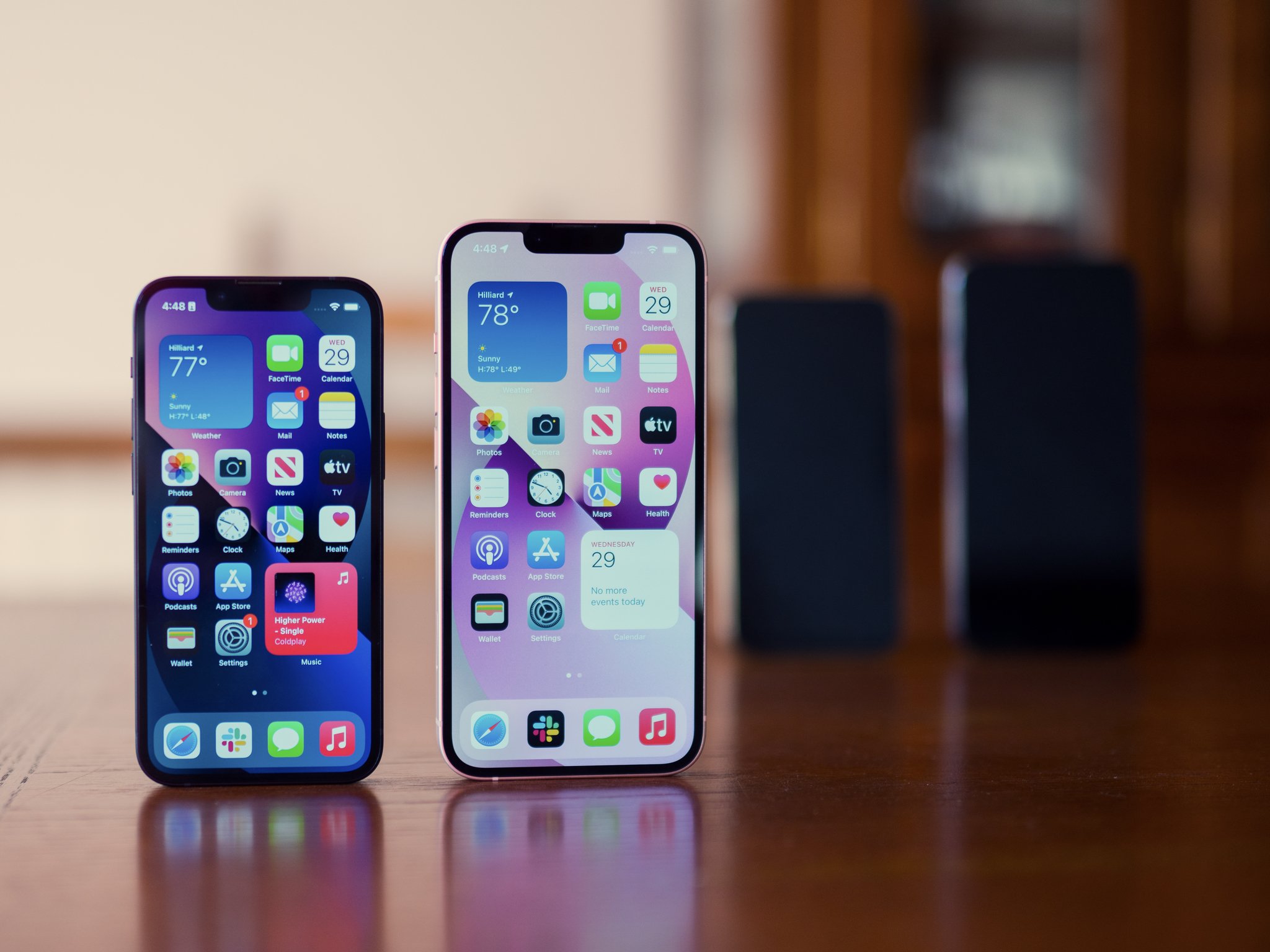
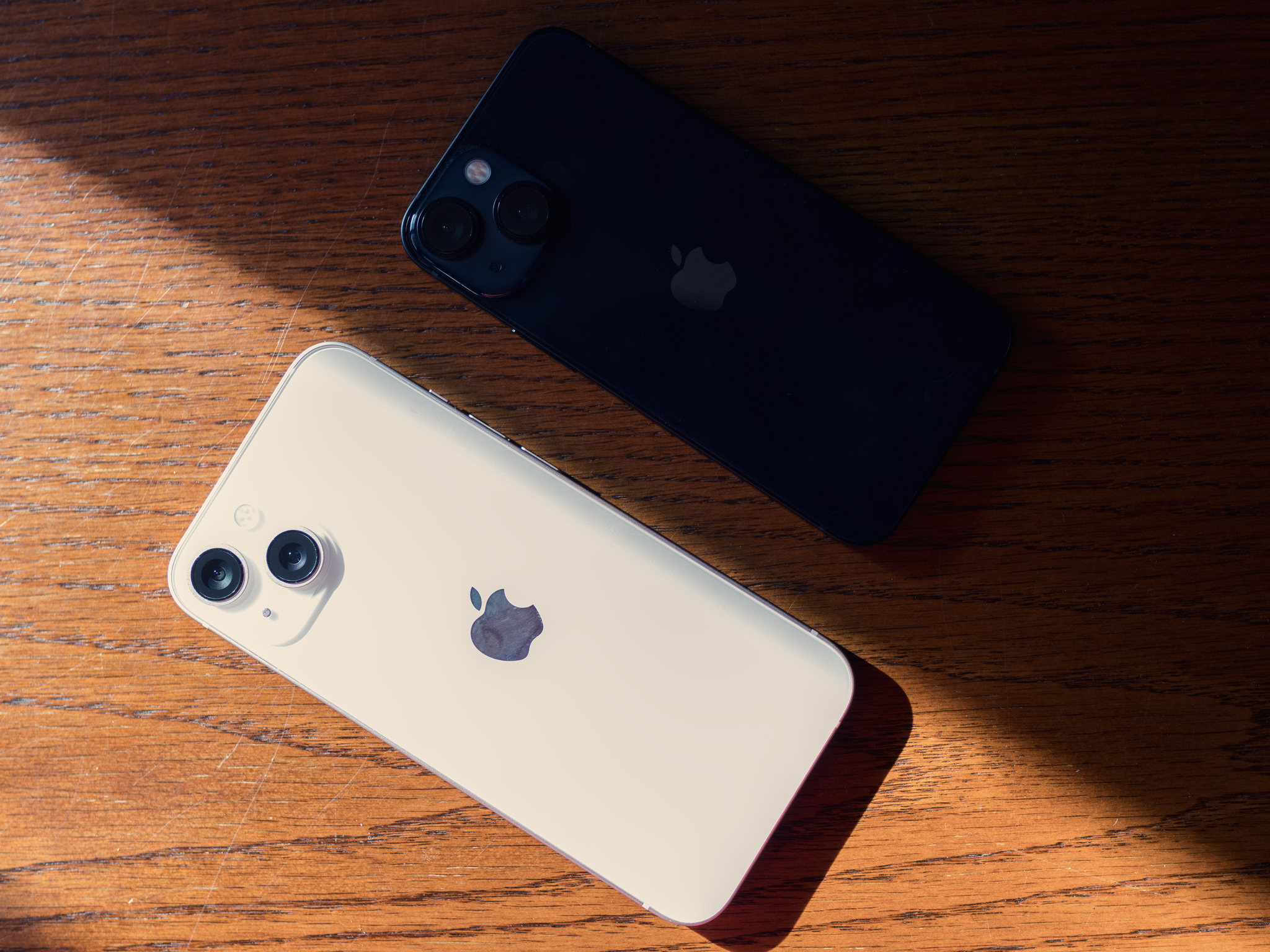
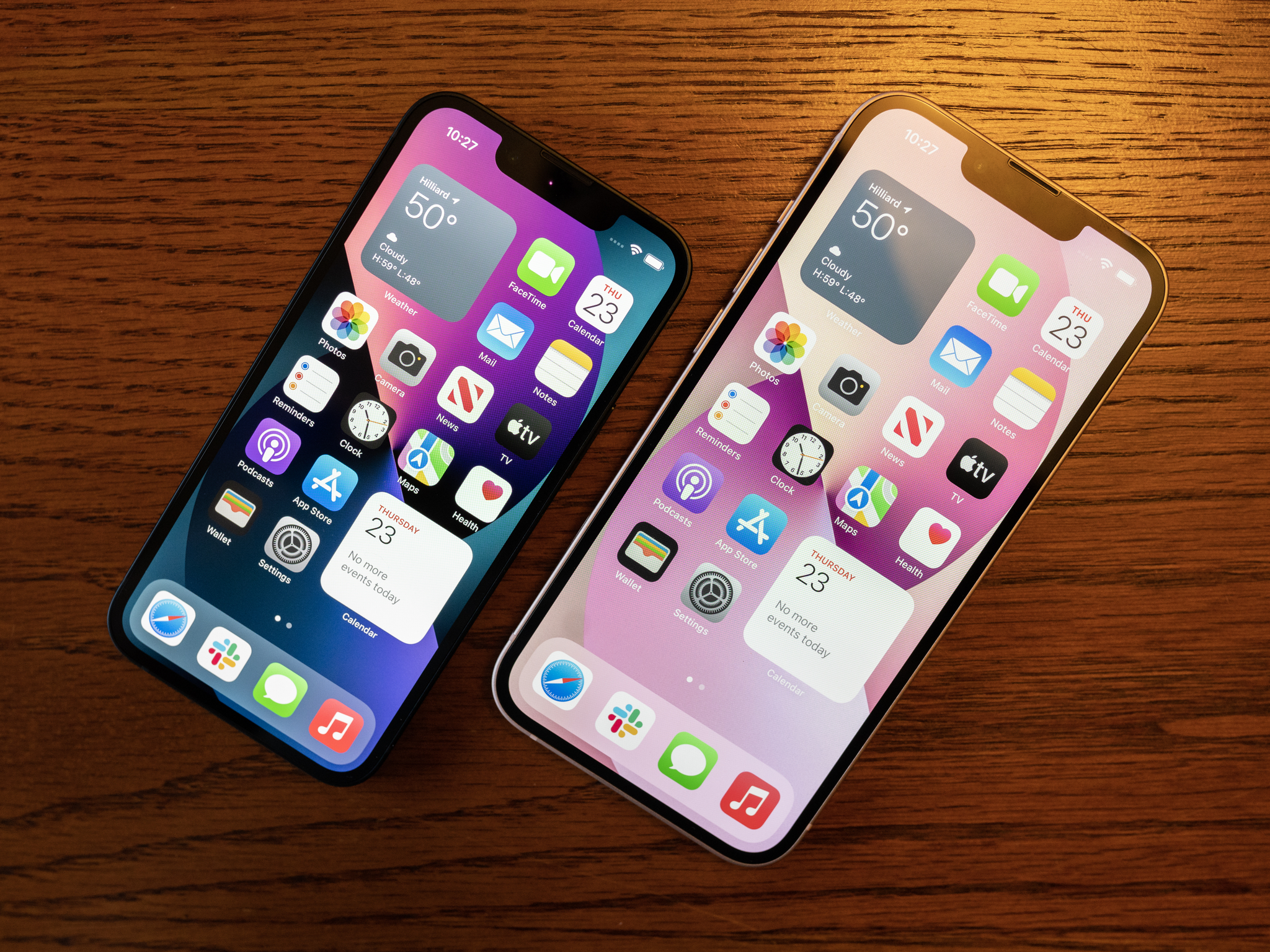
Apple has refreshed its color palette this year. The blue is a little more gray, and the red a little deeper. But there are three new colors on the iPhone 13 and 13 mini: pink, Midnight, and Starlight. Starlight is not a color I've seen in person, but it seems to be a sort of beige/silver combination. The pink on my iPhone 13 review unit is extremely light, and it's easy for me to mistake it for white at some points.
My iPhone 13 mini review unit comes in Midnight, and this is a color to which Apple's photos do a great disservice. Midnight isn't black, nor is it space gray. The best way to describe it that I've found is it looks like someone dripped dark blue into the black paint they were going to use for this phone. There's a slight blue tint to it that's really slick.
The glossy back of the iPhone 13 is still a fingerprint magnet
While I've been a fan of this design overall, the iPhone 13 and 13 mini have the same major materials flaw as last year's iPhones, and that the glossy glass on the back. It loves fingerprints. Absolutely loves them. You need to either accept that, slap a case on your phone, or be prepared to carry a cloth around with you because there is no avoiding the fingerprint issue.
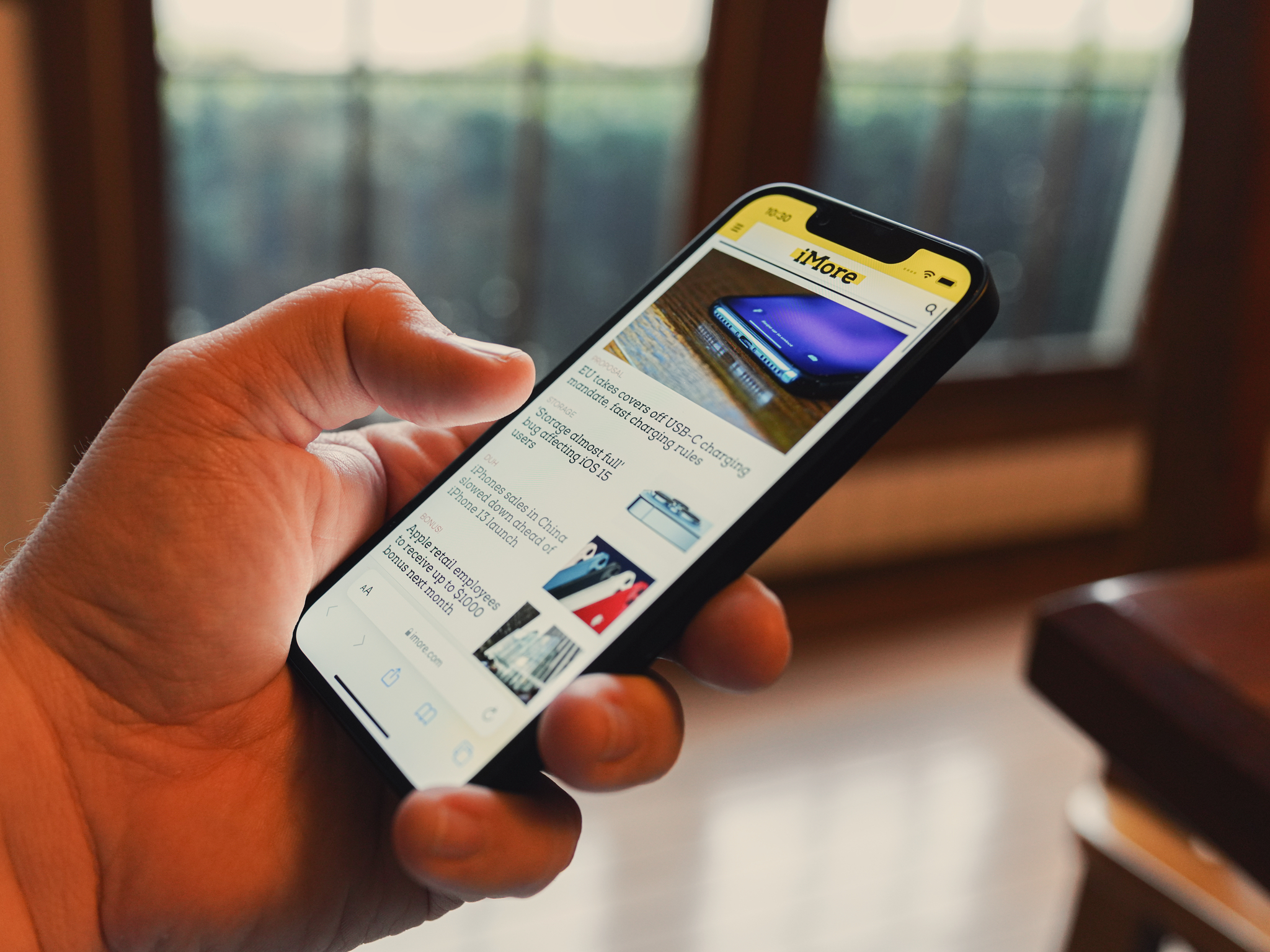
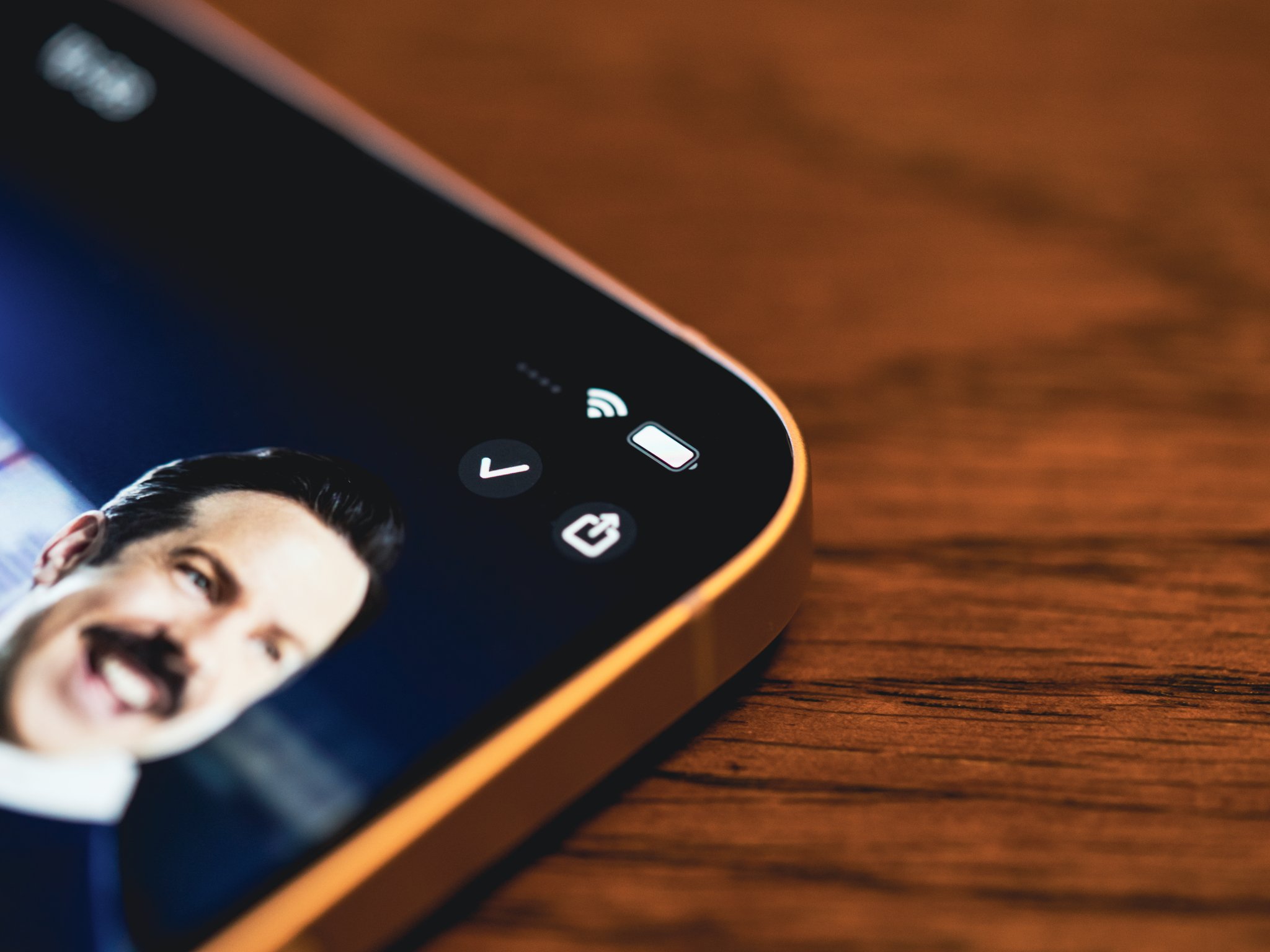
I do want to take some time to talk about the notch, but in all honestly, I don't really notice much of a difference. Yes, the notch on the front of the iPhone, which houses the TrueDepth camera that powers Face ID, is narrower this year. But we don't get a lot for that additional space. It's just a little more screen. One thing you will notice, though, if you use the new iOS 15 Focus feature, is that the icon for your current focus will appear next to the clock in the upper-left corner.
One of the major points of divergence between the iPhone 13 and iPhone 13 Pro this year is the display. Both are still beautiful OLED displays, but where the iPhone 13 sports the same 60Hz refresh rate that the iPhone always has, the iPhone 13 Pro lineup has a ProMotion display that has variable refresh rates as high as 120Hz. While I have some things to say about the ProMotion display in another review, the iPhone 13's display is another matter.
The truth is, there's not a lot to say here apart from this: it's the best display on an iPhone limited to 60Hz that Apple's made yet. Colors are beautiful, scrolling is relatively smooth, and it's reasonably bright in sunlight. HDR content also plays wonderfully on this screen, hitting the kinds of brights and darks that OLED is famous for. It's not an exciting display, but it is an excellent one when accounting for its limitations versus ProMotion.
iPhone 13: Software and performance
The software story on the iPhone 13 is all about iOS 15. While packed with some exciting features of its own, it doesn't represent a radical upgrade over iOS 14. It's a system that runs as well on the iPhone 13 as it does on the iPhone 12, maybe a little better thanks to the A15 Bionic chip.
The A15 Bionic is once again a 6-core system-on-a-chip that combines the CPU, GPU, memory, and neural engine onto a single die. The CPU features four high-efficiency cores for lower-power tasks, and two high-performance cores to that take over for more intensive tasks. Benchmarks place the A15 CPU performance at about 15-20% better than the A14, a similar year-over-year jump to what we've seen in recent Apple chip updates. Apple's neural engine, the part of the chip that powers machine learning functions on the iPhone, is new. It still has 16 cores, but is now capable of 15.8 trillion operations per second, resulting in fast on-device machine learning task completion.
The biggest performance boosts come from the GPU, which Apple claims is up to 30% faster than the GPU on competing chips, though it hasn't specified which chips this means. For any games that are already pushing the limits of the A14's graphics processing, this should result in better and more efficient performance, while apps and games that update to specifically take advantage of the A15 should see substantially improved performance down the road.
But that's a lot of numbers and jargon. What does that actually mean? Well, for most people, probably not a lot, at least not in everyday use. If you're someone who mostly uses your phone to check email, take some photos, listen to music, or browse the web, then, especially coming from an iPhone 12, you probably won't notice much of a difference. iOS 15 runs well, even on phones that are a few years old, so you might not notice a change in your everyday task speed, even jumping from, say, an iPhone XS. It'll be more apparent if you're coming from an older iPhone, though, and if you are, you're in for a treat.
While I'll talk about these features more in the camera section, I think a lot of the power of the A15 chip can be seen in the new camera capabilities. This includes Cinematic Mode, but also Photographic Styles. These are Apple's take on filters, but leverage the A15's Neural Engine to intelligently boost, or mute colors based on the style you select, while keeping skin tones looking natural. Adjustments are applied selectively to the right areas of an image thanks to that intelligence, allowing for a more powerful than a filter.
While everyday tasks probably won't feel faster, anything that engages the performance cores, GPU, or Neural Engine should feel fairly snappy, from editing photos to playing the latest hit game on the App Store.
iPhone 13: Battery
This is one of the more interesting aspects of the iPhone 13's story. During the announcement, Apple claimed that the iPhone 13 mini would see as much as 1.5 hours of additional battery life over the iPhone 12 mini, while the iPhone 13 would see as much as 2.5 hours over the iPhone 12.
It's going to take longer-term testing to really get a sense of it, but so far, those claims have held up. Compared to the iPhone 12 mini I've been using since April, the iPhone 13 mini definitely holds on to a charge longer, especially when it's in standby. Having the screen on for long stretches certainly drains the battery faster than the standard iPhone 13, but it's holding on better than the 12 mini did. In fact, I would go so far to say that the mini holds up favorably compared to my iPhone 12 Pro. In almost a week of use, the mini is usually down to about 30% of battery power by the time it hits the charger at around 11:00 p.m., or about 14 hours after it came off the charger. That's a little lower than I'd expect from my iPhone 12 Pro over the same amount of time.
As for the standard iPhone 13, the claim of an additional 2.5 hours does seem to be holding up. It's been handily beating the iPhone 12 Pro's times, ending most days at over 50% charge. Unsurprisingly, it still trounces its mini counterpart.
Keep in mind, however, that this is with normal use. If you're using your phone a lot, then we have a different story. Your battery should still last longer than last year's phones, but in my short time with the iPhone 13 and 13 mini, heavy use has drained the battery at only a slightly slower rate than last year's phones.
iPhone 13: Cameras
A primary reason that I'm fine moving to the iPhone 13 mini for my personal phone this year after so long using Apple's Pro phones is that, aside from loving the size, I'm just not a big iPhone photographer. It's not that I don't take photos with my phone, but it's not my favored camera. The photos for the review, for instance, were not taken using an iPhone camera.
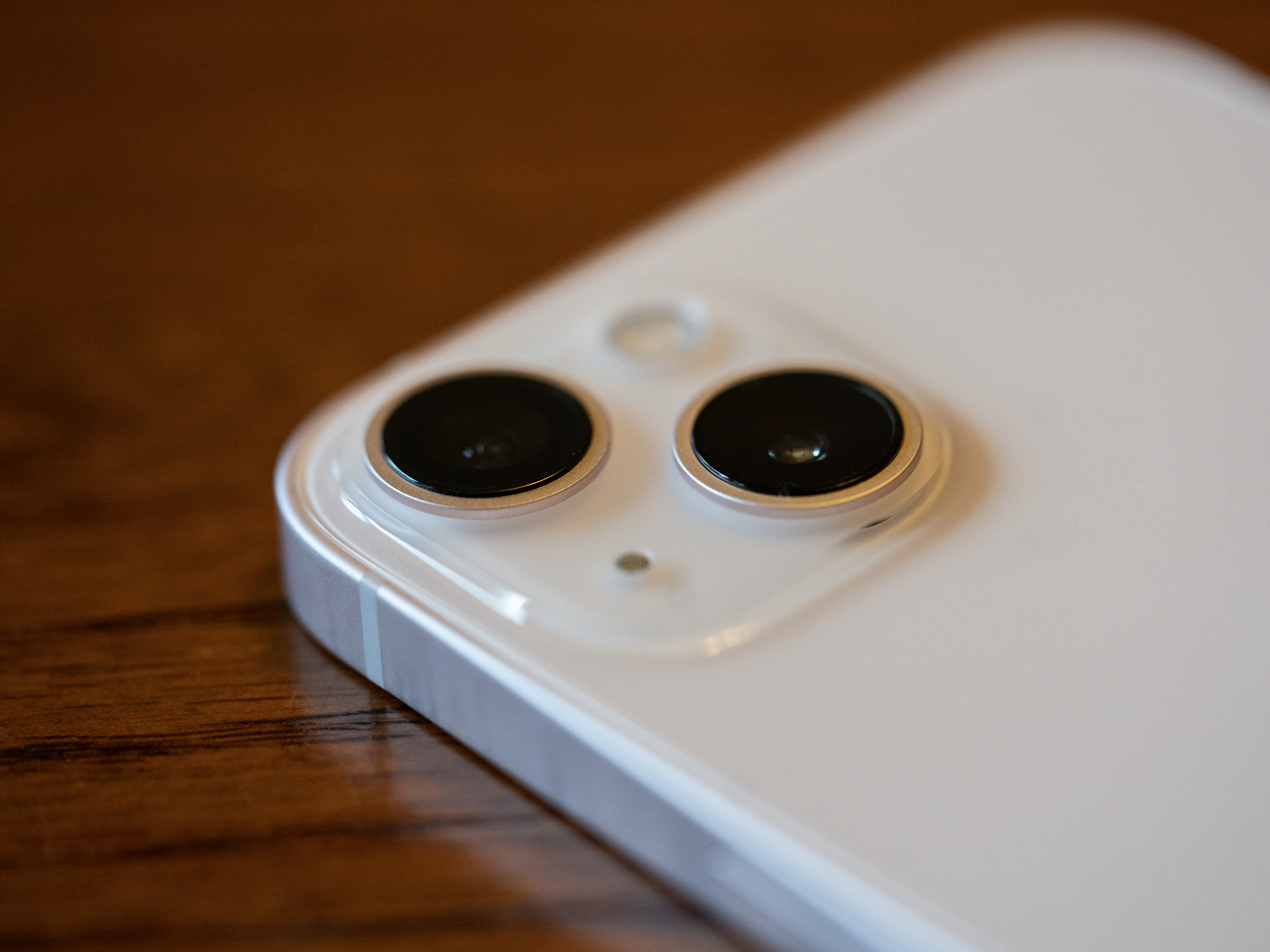
But that's not to say the cameras aren't good. In fact, the cameras on the iPhone 13 are probably the best the iPhone cameras have ever been outside the Pro line. A good thing they are, too, because the iPhone 13 has an entirely new setup, both in the wide and the ultra-wide cameras.
The photos you get with this new setup are excellent, with the wide camera, of course, being the standout.
One of the interesting updates I've noticed comes with Night mode. The photos above were taken in Night mode, one on the iPhone 12 Pro's wide camera (left) and one on the iPhone 13's wide camera (right). While the iPhone 12 Pro's photo is brighter overall, this is because of the brightness added to the photo by an additional second of Night Mode exposure, where the iPhone 13 needed one second less to grab its shot. The result is a more accurate and sharper photo from the iPhone 13.
That Night Mode performance is indicative of Apple's upgrade to this camera system, starting with an entirely new wide-angle camera, what many would refer to as the iPhone's 'standard' camera. While still a 12-megapixel sensor, that sensor now features bigger pixels (1.7 microns versus last year's 1.4), which capture 47% more light compared to last year's iPhone camera. And in photography, light's the name of the game. We're still looking at an f/1.6 maximum aperture, so in bright sunlight, you might not notice much difference between the iPhone 12 and iPhone 13 if they're both very steadily held.
But the reason I bring that up is the other major upgrade in the iPhone 13: Sensor-shift optical image stabilization, which debuted with the iPhone 12 Pro Max last year. Where previous iPhones stabilized the camera lens, the iPhone 13 and iPhone 13 mini stabilize the sensor directly, allowing the iPhone to deal better with the small movements your hands make while taking a photo with your iPhone. Between sensor shift and the additional light on the sensor, your images will be clearer than they've ever been.
But the iPhone's camera story is never only about the hardware. Apple's also giving you more control over your photography this year with the introduction of photographic styles, which work a lot like filters, except they apply a specific style, which you can modify, to your photos as you're taking them. Photographic Styles become an important part of the image capture pipeline and play a major role in how an image resolves, which is why you can't change an image's style after it's been taken (you can still make normal edits, of course). Photographic styles don't simply layer color and contrast choices over your image, either, but rather do things like preserve skin tone.
Then there's Cinematic Mode. While Apple spent a while demonstrating the admittedly impressive capabilities that this mode brings to the table, it's not going to be for everyone. In addition to being "Portrait mode for video," Cinematic Mode uses machine learning to know when to shift focus in a scene between two different people. But what's most impressive, at least to me, comes in the editing process. You can change the focus of a shot that was taken in Cinematic Mode, no matter what was captured in the moment.
But it's limited, at least right now. Aspiring moviemakers will need to settle for capturing their Cinematic Mode footage in 1080p at 30fps. If that style of shooting appeals to you more than any particular resolution and frame rate, it's definitely an exciting new tool in your belt — just know its limitations going in.
The iPhone 13 cameras might lack some neat tricks of the iPhone 13 Pro and Pro Max like macro mode and a dedicated telephoto camera, but if you don't need those features, you won't be disappointed by what the iPhone 13 can do.
iPhone 13: Competition
The world is full to bursting with smartphones that compete with the iPhone 13, and that starts with Apple's own products. First, there's the iPhone 12 and iPhone 12 mini, still on sale from Apple following the introduction of the iPhone 13 lineup. The iPhone 12's battery, camera, and overall performance aren't as good as the iPhone 13 (and the iPhone 12 mini's battery life leaves a lot to be desired), but if you want to save a little money while still getting a great phone, a new iPhone 12 will have life in it for years to come.
Of course, you could always opt for going to the higher end of things. The iPhone 13 Pro and Pro Max offer even better cameras, battery, and performance. The A15 chips in the Pro line of phones feature enhancements, including higher clock speeds and an additional GPU core. If you want those cameras, or in the case of the iPhone 13 Pro Max, want the biggest phone Apple sells, you need to go Pro.
Then we come to the Android phones. I'm of the opinion that one of the first decisions you should make is whether you want to buy an iPhone or Android device. While the two systems often have many of the same features, things can differ significantly phone-to-phone.
Starting with Google itself, you have the flagship Google Pixel 5. Admittedly, this phone is on its way out, but it's still a capable device that shows off Google's vision for what Android is supposed to be. As always, Google puts a lot of emphasis on the Pixel's cameras, and the Pixel 5 has a 12.2MP camera backed by Google's impressive image processing software, with an emphasis on creating photos that are overall warmer and with less noise than its predecessors. It shipped with Android 11, and will support Android 12 when it launches later this year.
But the Pixel 5 is getting harder and harder to find. If you want the latest flagship phone from Google, you'll want to hang on a bit longer for the launch of the Google Pixel 6, set to debut at some point this fall. One of this phone's more exciting aspects is the inclusion of Google's custom Tensor chip.
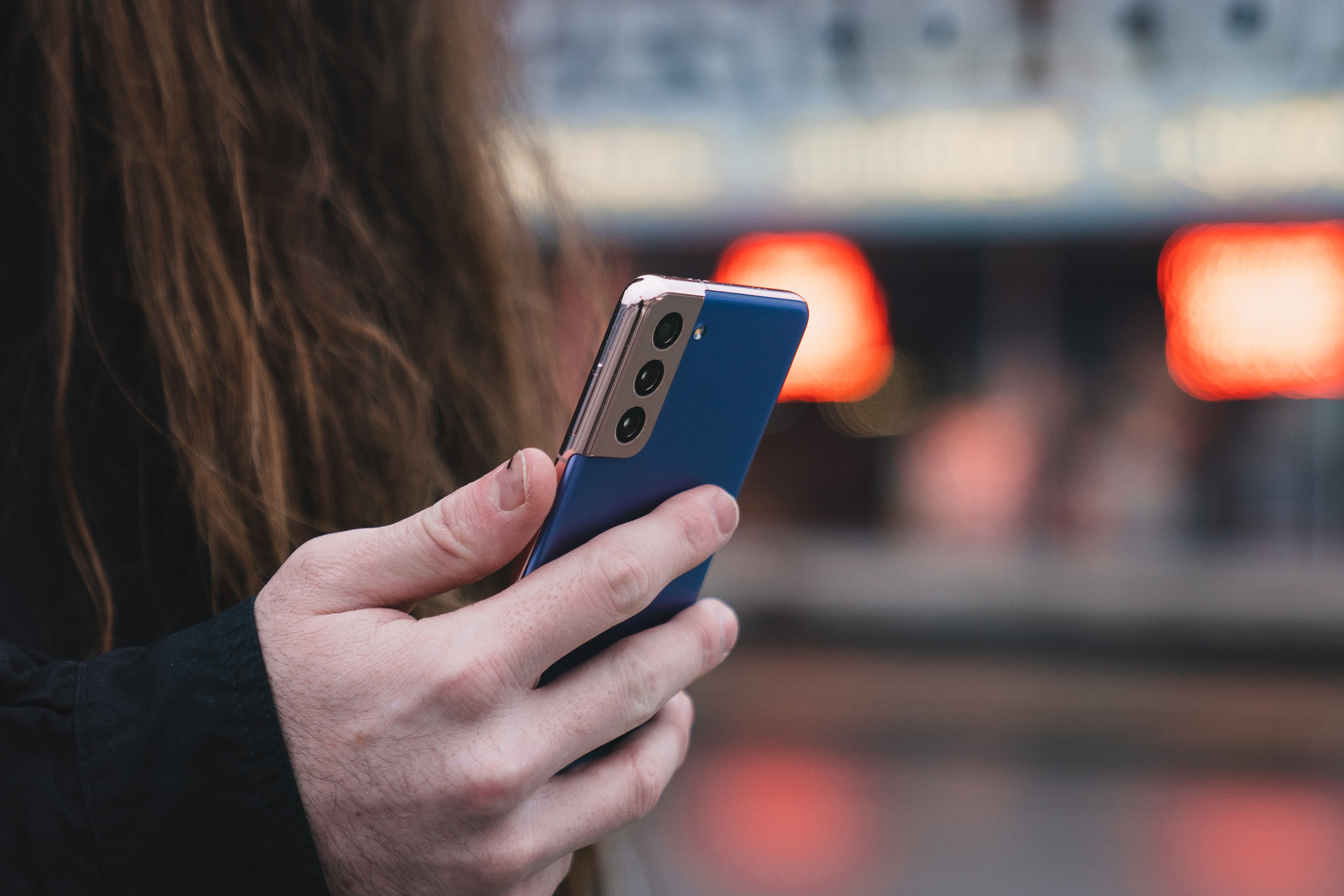
But in smartphones, Apple's chief rival isn't Google, but Samsung. The Samsung Galaxy S21, launched earlier this year by the Korean electronics giant, comes in at $799. As with most flagship smartphones, including the iPhone, Samsung has placed a big bet on cameras, and offers three cameras to the iPhone 13's two: a wide, and ultra-wide, and a 3x telephoto, the same basic setup found in the iPhone 13 Pro. Like the iPhone 13, both the wide and ultra-wide cameras on the Galaxy S21 sport 12-megapixel sensors, while the telephoto camera features a 64-megapixel sensor, though at the expense of the amount of light it can capture, thanks to smaller pixels.
If you're looking for an iPhone 13 rival in the Android world at the same price point, and you're fine with Samsung's One UI customizations, then the Galaxy S21 might be the phone to get.
iPhone 13: Should you buy it?
You should buy this if ...
You have an iPhone XR or older
While those with an iPhone 11 will almost certainly notice some performance jump, most people hold on to iPhones for three or four years now, and for good reason: they hold up fairly well. But if you're on 2018's iPhone XR, XS, or something older, you'll really benefit from the updated battery, cameras, and overall performance of the iPhone 13.
Cameras aren't your highest priority
The iPhone 13's cameras are great, but they're not on quite the same level as the iPhone 13 Pro. Not only are you missing a telephoto camera, but the iPhone 13 will also miss out on ProRes video when it arrives for the iPhone 13 Pro later this year. The wide camera on the iPhone 13 Pro and Pro Max is also slightly better, with even bigger pixels and a wider lens aperture.
You love a colorful phone
Another year, another round of insistence from Apple that color isn't for "Pros." Apple's mainstream phone lineup has always had more interesting and varied color options than the Pro line, and this year is no exception.
You should not buy this if ...
You need the best cameras out there
The iPhone 13 Pro has better cameras than the iPhone 13. It has a better wide camera, as well as a telephoto lens (an improved one over last year, at that). The iPhone 13 Pro also has macro mode, which lets you get really close to a subject. As I previously mentioned, the iPhone 13 Pro will also get the ProRes video shooting later this year, which the regular iPhone 13 won't get.
You want a higher-refresh display
The ProMotion display on the iPhone 13 Pro line is slick. Quick and smooth, it feels like a genuine leap when viewed next to the locked 60Hz of the iPhone 13. If that smoothness is something you want, you'll want to go Pro. The thing about ProMotion is that it's not just 120Hz, it has a variable refresh rate, meaning that it slows way down to preserve battery life when it doesn't need the quick motion, making it a better option than many high-refresh displays from Apple's rivals.
The people who should buy the iPhone 13 are those who are looking for the best iPhone available that don't want to go Pro. You want excellent cameras, a better battery, improved performance, but you don't need the absolute best that Apple has to offer and the price tag that comes with it. This is the iPhone most people looking to get one should buy.
4.5out of 5
The iPhone 13 is the best iPhone in its class because, of course, it is. There hasn't been a year since the iPhone debuted where Apple has regressed in overall phone quality year-over-year. If you already have an iPhone 12, the iPhone 13 probably won't wow you, but it won't disappoint you, either. It's just an iPhone, and everything that entails. You won't miss a lot if you decide to skip it, but you're sure to enjoy your experience if you elect to pick one up.
If you have an iPhone 11 or older, the iPhone 13 is more exciting. It'll feel that much faster, the cameras that much better. The design will also be fresh to you, and your screen will now be protected by Ceramic Shield. It's still not a quantum leap, but a solid upgrade. And at the end of the day, people with the iPhone 11 and older are who Apple's aiming for.
iPhone 13
Bottom line: The iPhone 13 is the best iPhone for most people, with impressive new cameras and notable improvements to battery life. Without all the bells and whistles of the Pro line, the iPhone 13 and iPhone 13 mini are still powerhouses that'll keep owners happy for years to come.
I've been waiting for this game since elementary school.
When I first saw the trailers for Pokémon Legends: Arceus in February, I became incredibly giddy and preordered my copy as soon as possible. Watching the trainers run around that open space and fight Pokémon in the overworld without diving into a separate battle screen satisfied some long-denied childhood desire from deep down inside of me.
This excitement dove further still when the newest videos showed trainers using Pokémon to fly through the air, swim through lakes, and even ride around the rolling hills. Finally, finally it looks like this game is going to take Pokémon in the direction it should have gone over a decade ago.
A life-long stagnant love
Pokémon has been a part of my life ever since the creatures first made their way to the U.S. in 1998. I was in elementary school at the time and quickly acquired a large deck of cards, the core Game Boy games, and a smattering of N64 Pokémon titles. Then, when the GameCube was announced, I got incredibly excited. Many 2D games had been making their way into the 3D space with the N64, like The Legend of Zelda and Donkey Kong. I figured that the core Pokémon RPG would follow suit. Little did I know that wouldn't happen for another two decades (wow, I'm old).
Monster Hunter Stories basically had a Wild Area on 3DS and it was better than Sword and Shield's.
It was actually only with the release of Pokémon Sword and Shield in 2019 that the main Pokémon games arrived on console rather than handheld for the first time. Even then, these RPGs retained many archaic elements that made it feel like the handheld games have simply been forced into a 3D space rather than created specifically for it.
The one exception to that is the Wild Area, a new feature where players see Pokémon walking around in the overworld and can run into them to initiate the turn-based battle sequence. As exciting as the Wild Area is, I can't help but shake my head and think we should have had this experience years before. This is especially true given that Pokémon is the highest-grossing media franchise of all time. The funds and interest were available to make it happen.
Hell, Monster Hunter Stories on 3DS had been able to implement this exact Wild Area idea back in 2017 and it was better than Sword and Shield's. It has even been improved with the recent sequel, Monster Hunter Stories 2: Wings of Ruin. In Capcom's games, players can ride every single one of the Monsties in their collection. Some even have special abilities like being able to climb vines, jump to higher platforms, swim, or fly, which allows players to reach new areas. Meanwhile, Pokémon has remained stagnant in this area for far too long.
Fan-made representation of what an open-world Pokémon game would look like.
When I'm exploring a world where people use Pokémon for everything, not being able to do so myself just feels wrong.
Throughout the years, some Pokémon games have made improvements towards modern gaming but then doubled back with the next installment. For instance, when I first beat Omega Ruby and Alpha Sapphire, I was incredibly excited to learn that the post-game let me fly on the back of Mega Latios or Mega Latias and actually see the world below me instead of simply using a version of fast travel. This section of the game even allowed me to battle flying Pokémon I encountered. This was unlike anything I'd seen in a core Pokémon game, and I was sure that this was where the series was headed.
So you can imagine my disappointment when Sun and Moon, Let's Go Pikachu and Eevee, and then Sword and Shield all released without this kind of world exploration. Flying around the map is once more just a fast travel mechanic, and in the case of Sword and Shield, a bike is used to traverse over water when you have perfectly good Water-types at your disposal. When I'm exploring a world where people use Pokémon for everything, not being able to do so myself breaks the illusion and just feels wrong. That's why I'm stoked to finally be able to do these things in Legends: Arceus.
Legend of hope
We've already seen more action-focused elements in Legends: Arceus than any other core Pokémon RPG — for instance, having to dodge red-eyed Pokémon attempting to attack you. And of course, the aforementioned ability to fly, swim, and ride over land using Pokémon. This is exactly the kind of gameplay I had imagined in the GameCube era and I'm stoked to finally experience it. Now, Legends: Arceus will finally make this 20-year-old dream of mine a reality.
Pokémon games have stayed so formulaic over the years that these simple ideas feel incredibly novel within Pokémon.
The funny thing is, these really aren't complicated mechanics. There are plenty of games that feature these controls. But Pokémon games have stayed so formulaic over the years that these simple ideas feel incredibly novel within Pokémon. Still, I'm incredibly excited to experience them myself when Pokémon Legends: Arceus releases.
On the other hand, some people are complaining about the game's art direction and the relatively sparse-looking world. I agree, the world doesn't look very detailed and I'd much prefer a more Breath of the Wild range of landscapes as imagined in Reddit user gmendezm's post from 2019 entitled Pokémon Call of the Trainer. However, I'm willing to look past this since Legends: Arceus at least allows Game Freak to test the open-world waters and eventually could lead to something greater down the road.
Pokémon dreams come true
I don't know if Pokémon Legends: Arceus will be a huge hit or not. Some fans have been complaining about the simple art style and lack of foliage or overall detail shown in trailers. But the way I see it, if this game paves the way for more open-world style Pokémon games in the future I don't care what the artwork looks like for now. Let The Pokémon company experiment and hopefully, they'll see that this kind of Pokémon game is something many of us have wanted for a long time.
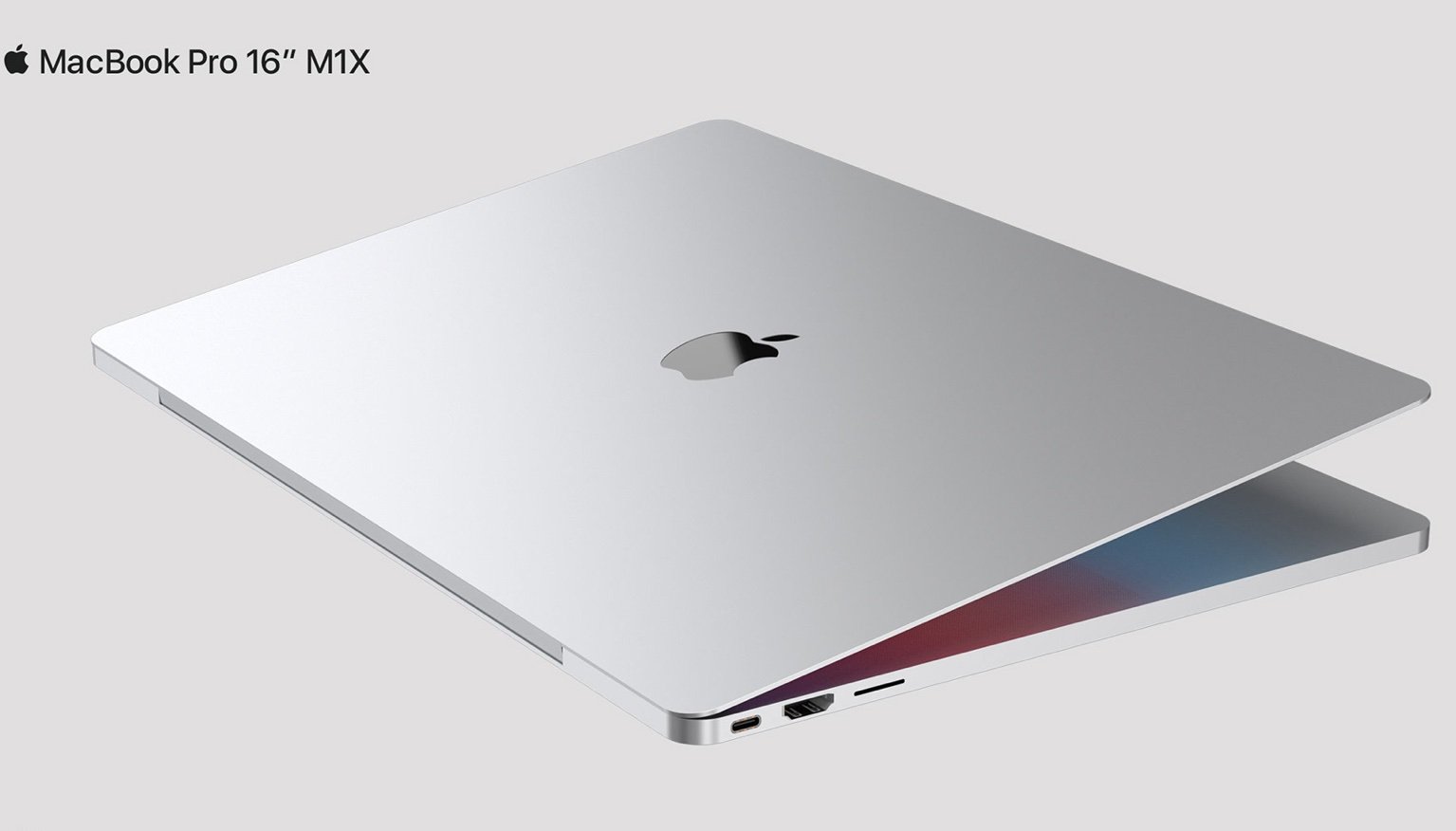
Apple is expected to announce two new MacBook Pro models in the coming weeks. If the rumors are correct, each new laptop will feature a thinner bezel, larger display, and redesigned chassis. The incoming 14-inch MacBook Pro and second-generation 16-inch MacBook Pro are also expected to bring back old favorites like MagSafe connectivity, an HDMI port, and an SD card slot.
Would-be buyers will almost certainly embrace the first significant MacBook Pro redesign in five years. And yet, none of the expected changes will come across as nearly as innovative as the recently announced Surface Laptop Studio, which Microsoft CEO Satya Nadella says will create a new laptop category. Or will it?
Something new?
The Surface Laptop Studio features a 360-degree hinge and a stylus that lives on the bottom edge. You can use the device just as you would any other laptop or switch to what Microsoft calls the "stage mode." In this configuration, the display is moved forward over the keyboard and propped up to become tablet-like.
When seen for the first time, the transition between modes impressed even this Apple fan who has grown somewhat tired of seeing the same old MacBooks released each year. Wow was the word to describe my initial reaction.
And yet, for the lack of a better term, once you get past the surface, is Microsoft's newest product really all that innovative? And if so, does it make sense from a practical perspective? Perhaps not.
On Second Thought
As The Verge was the first to point out, the Surface Laptop Studio form factor is neither new nor unique. For example, an IBM ThinkPad maneuvered similarly nearly 30 years ago, as did products from Acer and HP over the years.
According to The Verge, "...if you follow the laptop market anywhere near as closely as I do, it's hard not to look at this device and think, 'Oh boy, another one of these.'"
This certainly isn't the first time Microsoft has attempted to make Windows a desktop, laptop, and tablet OS all rolled into one on the software front. I've appreciated the company's grit in trying to make this work across various devices over the year. It almost worked on the Microsoft Book (which the Surface Laptop Studio replaces). However, I have never found Windows on a tablet all that impressive or user-friendly.
And given Microsoft's decision to run Android, not Windows, on the heavily maligned Surface Duo, perhaps it doesn't either.
My point isn't to criticize Microsoft. On the contrary, the company deserves kudos for re-thinking its Surface lineup on an almost yearly basis. And yet, shiny new bells and whistles don't necessarily create a better computing experience — or find success.
MacBook Pro: boring, yes
This brings us back to the MacBook Pro, one of the best Macs on the market. Has the time come for Apple to finally consider releasing an all-in-one laptop to keep up with the folks in Redmond? When looking strictly at sales, the choice seems clear.
The worldwide PC market is currently on an incredible upswing with year-over-year sales rising by 13.2% with Mac sales up 10.2% in the second quarter. of 2021.
Who's dominating the market? Not Microsoft, which isn't even a top-five hardware vendor. Instead, it's Lenovo, followed by HP, Dell, and then Apple.
The bottom line: the data suggests Microsoft's Surface products are mostly niche, and the Surface Laptop Studio isn't likely to change this.
Therefore, it's probably wise for Apple to keep the MacBook Pro form factor essentially the same and avoid making radical changes to the lineup. It also means it's unlikely Apple will ever merge iPadOS and macOS. Indeed, boring seems to work even though some of us might want to see more splash.
Thoughts?
What do you think? Should Apple release an all-in-one computer product or keep its tablets and laptop separate? Let us know in the comments below.
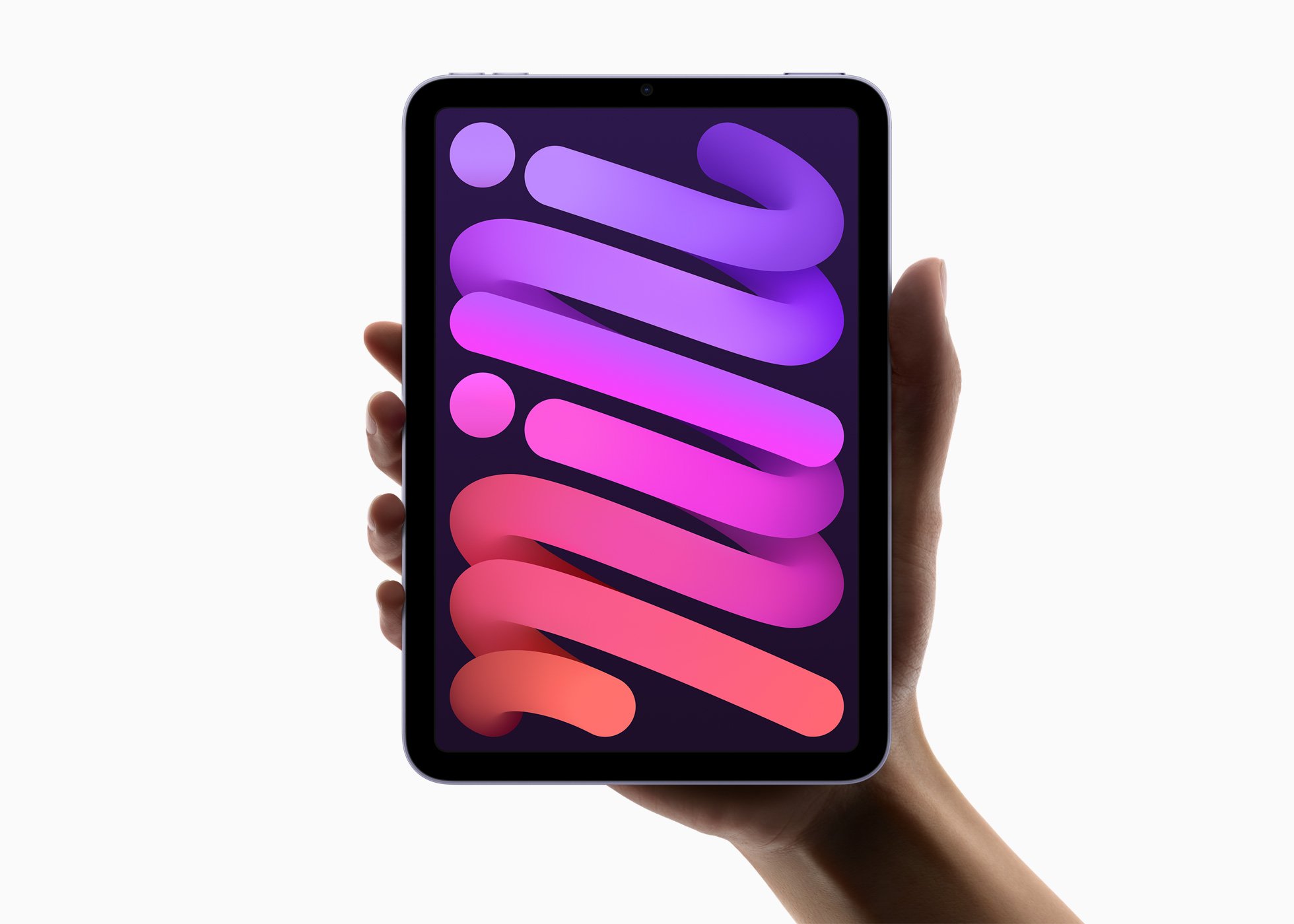
Apple's new iPad mini packs an A15 Bionic chip that's super fast according to new tests.
Pixelmator's ML Super Resolution algorithm is capable of upscaling images and it's blazing fast on the new iPad mini.
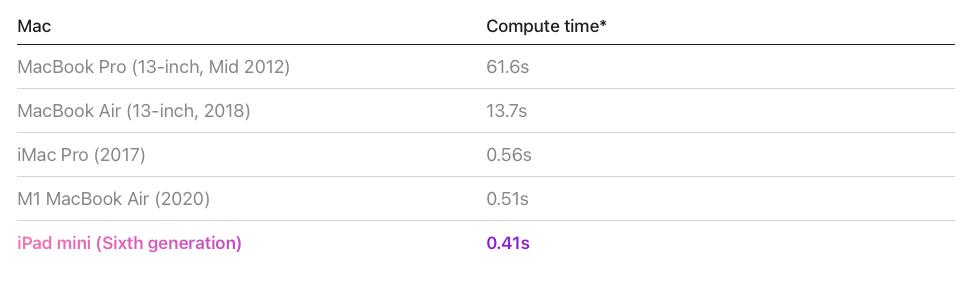
Tests showed iPad mini was faster at upscaling an image than an iMac Pro.
That's one fast little tablet.
Apple's brand new iPad mini is already taking all the plaudits for its prowess at just about everything, but it turns out that it's so fast it can do some machine learning tasks faster than an iMac Pro — and the Pixelmator folks have the numbers to prove it.
In numbers shared during a blog post announcing improvements to the ML Super Resolution feature that's already so impressive, the Pixelmator team ran an upscaling task on the new iPad mini to see how it compares to other machines like, say, an iMac Pro.
Turns out that little tablet is now the best iPad for upscaling images and if your other machine is an iMac Pro, it's the best computer for it, period.
For this test, a 300,000 pixel image was upscaled to three times its original size. The iPad mini was tested on iOS 15.
Of course, the new iPad mini isn't the only machine quicker than the 2017 iMac Pro at this point — the impressive M1 MacBook Air is, too. But it's fascinating that an itty bitty tablet can now do something like this faster than Apple's high-end iMac.
If there's one thing this all tells us, it's that the iMac Pro is very much due a refresh. Here's to hoping we don't have to wait too long for that to happen.
You've got the biggest, most beautiful screen on a mobile device, and you'd like to keep it pristine. A screen protector might be a good idea. Whether you prefer tempered glass, plastic, or even liquid, we've got you covered. Here are some of the best screen protectors for 12.9-inch iPad Pro, 2018 and later. And yes, these screen protectors will work perfectly with the 2021 iPad Pro as well.
Most popular
Tech Armor Ballistic Glass Screen Protector
Staff favorite
With this screen protector, you get screen responsiveness, protection from bumps/fingerprints/scratches, easy bubble-free installation, and the full clarity of your device's screen. Tech Armor is one of the most popular screen protector brands for good reason.
This tempered glass screen protector is thick enough to protect your screen from some pretty big bashes but won't interfere with Face ID. It comes with a special installation kit to help make sure you don't end up with bubbles or dust marks.
Get the look and feel of paper on your iPad Pro with a PaperLike Screen Protector. It's perfect for art, note-taking, and anyone using an Apple Pencil or other alternative stylus.
If you'd like something a bit more solid but still extremely lightweight, this PET material screen protector adds almost no bulk or weight to your iPad. It's not going to be as protective as glass, but it will certainly prevent scratches. You get three in this package. Note that this is a matte screen protector.
The company behind the InvisibleShield Glass Plus has made a name for itself by creating high-quality tech accessories, much like this 12.9-inch iPad Pro screen protector. The Glass Plus is made from smooth tempered glass, which offers remarkable touch sensitivity while keeping things crystal clear for viewing. It also features oil-resistant technology to keep fingerprints at bay as you tap away.
If you want protection that you can see and feel, I'd recommend the Tech Armor Screen Protector. This is a known brand that makes quality products you can trust. If you're an artist looking for a more natural feel when using the Apple Pencil or a supported stylus on your iPad Pro, try Paperlike for a, well, paperlike experience.
If you want something thick enough to protect your screen, then the amFilm Glass Screen Protector is a good pick. It won't interfere with Face ID, and it can hold its own against some pretty heavy hits. Just take care to follow the instructions when installing to avoid any unwanted bubbles. No matter what kind you're looking for, we're sure one of these best screen protectors for a 12.9-inch iPad Pro will be the perfect fit.
OWC has announced a new adapter that takes a single Thunderbolt port and runs two 8K displays off of it.
Thunderbolt to Dual DisplayPort Adapter is available now for $78.
You might be limited to 30Hz, though.
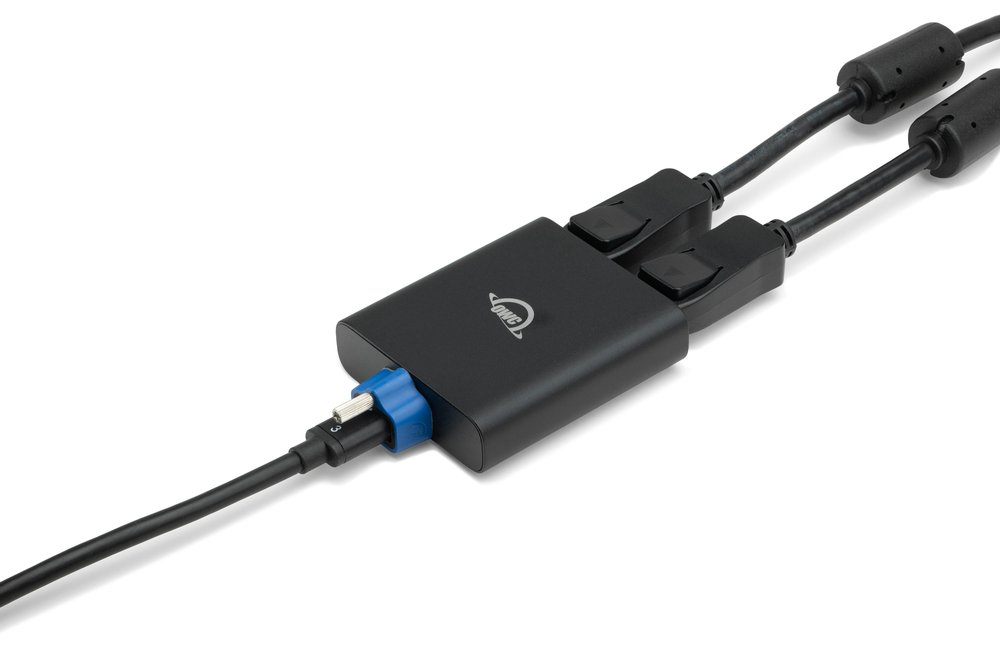
OWC today announced a new adapter that can take a single Thunderbolt port and turn it into two DisplayPort 1.4 connectors, perfect for powering up to two 8K displays at the same time.
The adapter, which is available for $78 from OWC, is a little black puck that can be used with Macs as well as iPads, although the latter is limited to just a single display.
With the new OWC Thunderbolt Dual DisplayPort Adapter, you'll be amazed when your eyes see up to 8K resolution delivered by the OWC Thunderbolt Dual DisplayPort Adapter. By utilizing the latest DisplayPort 1.4 technology, this high-performance adapter delivers up to 4x higher resolution than DisplayPort 1.2. All you need is a single Thunderbolt port to plug it in, and this little wonder's compact size and bus-powered convenience will open a world of possibilities.
In terms of resolution, users can expect 4K at 60Hz for the most part, while 8K at 30Hz is as much as you're going to get if you're using two monitors — and even then, only with Display Stream Compression (DSC) enabled.
Single display up to 8K @ 30Hz or 8K @ greater than 30Hz with DSC
Dual display up to 4K @ 60Hz, 4K @ 144Hz with DSC, or 8K with DSC
Additionally, the new adapter is BUS-powered, meaning you won't need to take an additional power supply when you're on the move.
Whether you're using this with an iPad Pro or a Mac, this is a great addition to anyone's arsenal if they need to spend time powering external displays and have a Thunderbolt port to spare.